

For remote workers, creating an efficient and ergonomic home office is paramount. While a dedicated workspace is essential, the monitor plays a pivotal role in determining overall productivity and comfort levels. Choosing the right monitor can significantly impact visual experience, reduce eye strain, and ultimately, enhance workflow and overall job satisfaction. Read these tips to […]
Category Archives: Office

When working from home, factors like a dedicated workspace are crucial, with your computer monitor serving as the cornerstone of your workspace. The right monitor can significantly enhance productivity by optimizing visual comfort, improving focus, and adapting to individual needs and preferences. Here are some tips to help you choose the best monitor for your […]

With remote work setups becoming more common, creating an efficient and ergonomic home office has become crucial for maximizing productivity. The centerpiece of any productive setup is undoubtedly the monitor. Choosing the right monitor can significantly impact your visual experience, comfort levels, and ultimately, your work efficiency. Screen size The ideal screen size depends on […]
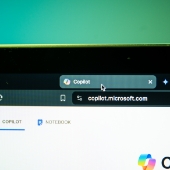
Technologies powered by artificial intelligence (AI) are transforming productivity for individuals and businesses. Among these cutting-edge technologies are AI assistants, which help users increase their efficiency and productivity. Microsoft offers two distinct versions of its AI assistant, Microsoft Copilot: Copilot Pro and Microsoft 365 Copilot. But which one is right for you? This guide discusses […]

Copilot Pro and Microsoft 365 Copilot are two cutting-edge artificial intelligence (AI) assistants that are shaping the future of work by streamlining tasks and boosting productivity. In this blog post, we’ll delve into their features, benefits, and limitations to help you choose the right AI assistant for your business’s needs. What is Microsoft Copilot? Microsoft […]

Artificial intelligence (AI) is revolutionizing the modern workplace. With the rise of powerful AI assistants such as Copilot Pro and Microsoft 365 Copilot, individuals and businesses can further streamline tasks and boost productivity. But which tool is the right fit for you? Let’s explore both options to help you make an informed decision. What is […]

Excel is great for organizing and analyzing data, but its power really shines when you can visualize your data with charts and sparklines. These visual tools make it easy to spot trends and make informed decisions without complex analysis. In this guide, we’ll walk you through the basics of creating charts and sparklines in Excel. […]

Want to make your Excel data easier to grasp with a quick look? Using charts and sparklines can transform raw numbers into clear, insightful visuals. This article will guide you through setting up and editing charts and sparklines. What are Excel charts? Excel charts are visual representations of data that help you quickly identify trends, […]

Visualizing data is key to making informed business decisions, and Excel’s chart and sparkline tools make it easy to turn numbers into clear visuals. In this guide, you’ll learn the basics of using charts and sparklines in Excel to highlight trends, compare data, and better understand your spreadsheet insights. What are Excel charts? Excel charts […]
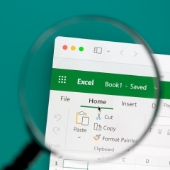
Spreadsheet software such as Microsoft Excel offer immense value, but when data gets too complex, even common functions like filtering can become a hassle. This is especially true if you’re unfamiliar with Excel’s advanced features. However, with Microsoft Excel slicers, there’s a simple and visual way to filter data. Understanding Excel slicers and how they […]